Creating a Bloomreach API key for automated media
2 minutes to complete
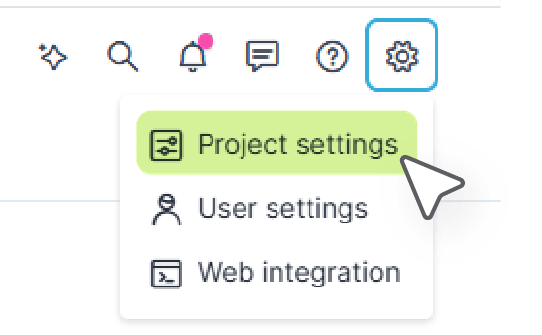
Go to settings
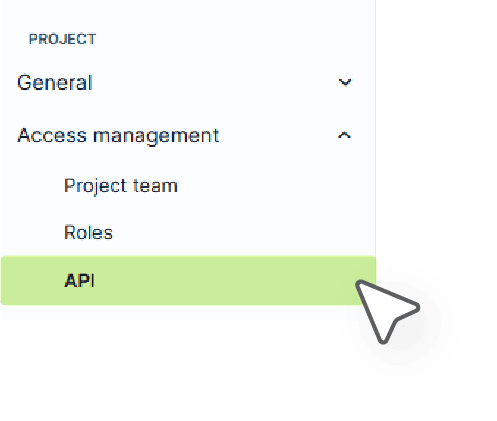
Under access management, select the API keys tab
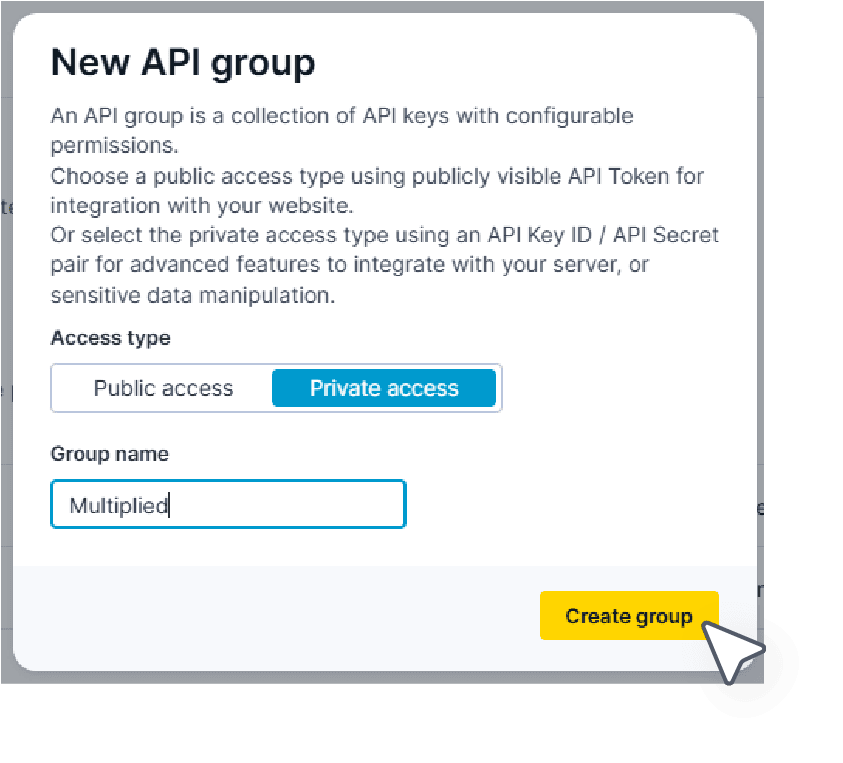
If you don’t already have a private API group, create one
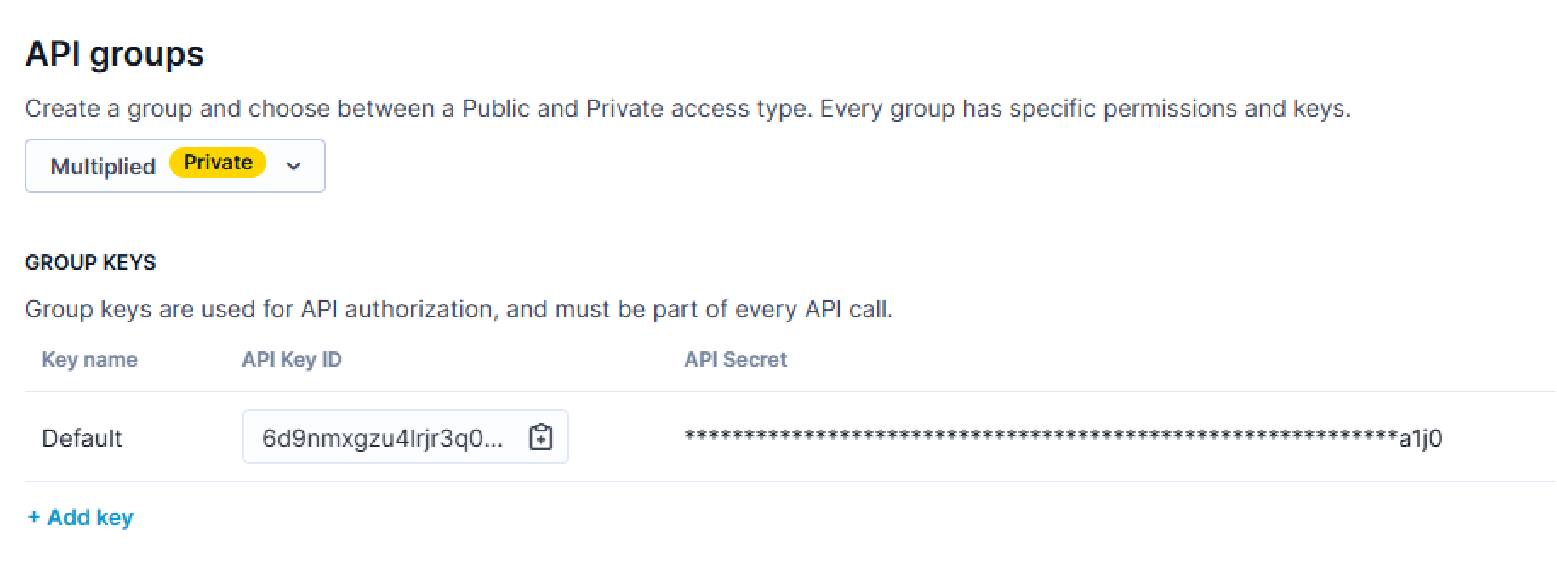
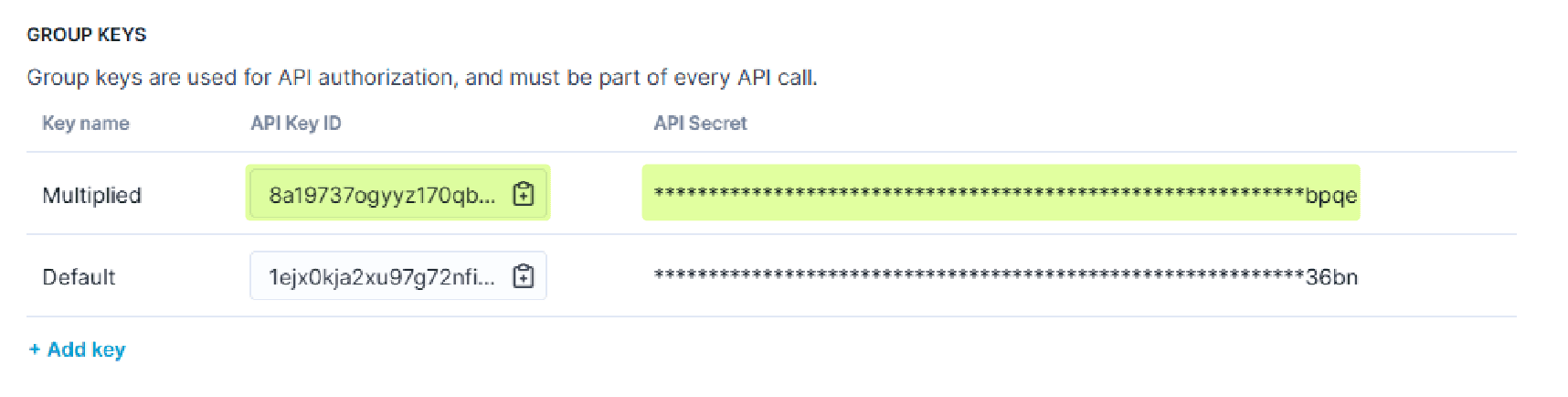
In your new (or existing) Private Group, you can either use the default key or create a new private API key
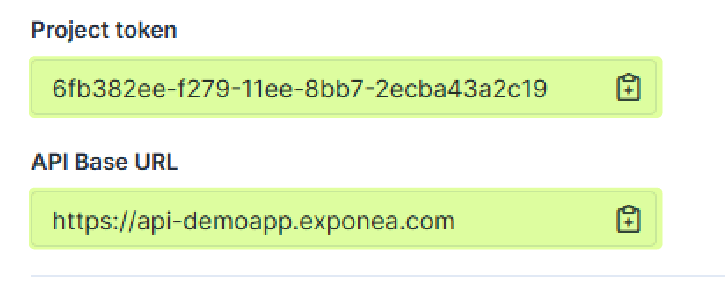
Also make note of your Project Token and Base URL
Paste the following details in our shared Slack channel
- Project Token
- Base URL
- API Secret
- API KEY ID
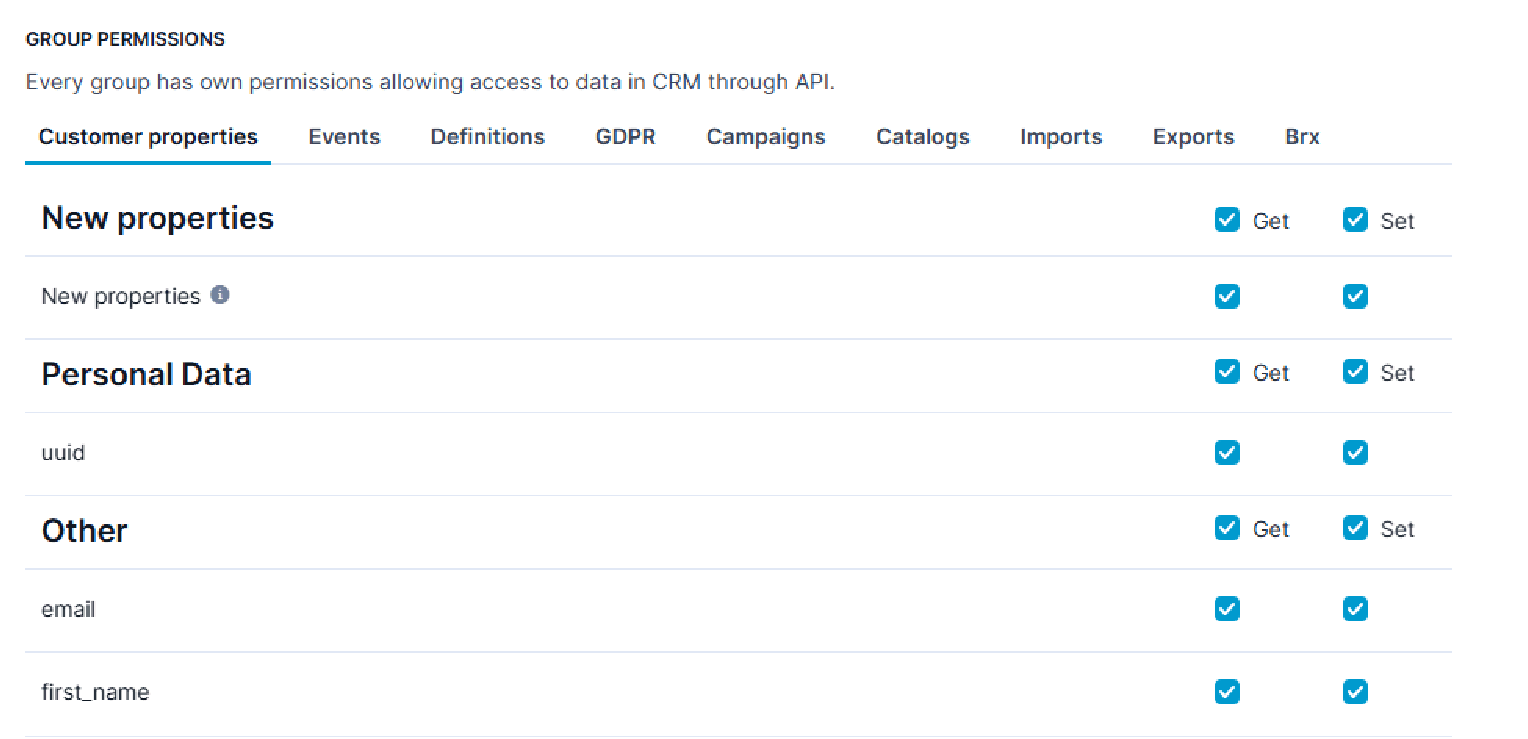
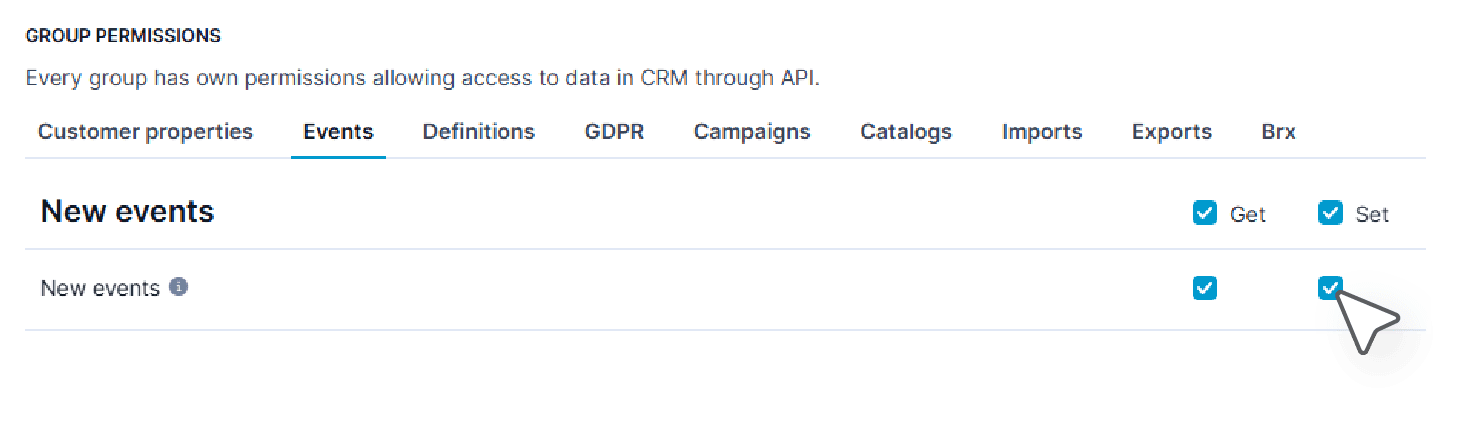
The API Key requires basic Customer Property and New Event permissions for both Get and Set: