Webhook- for automated scenarios
5 minutes to complete
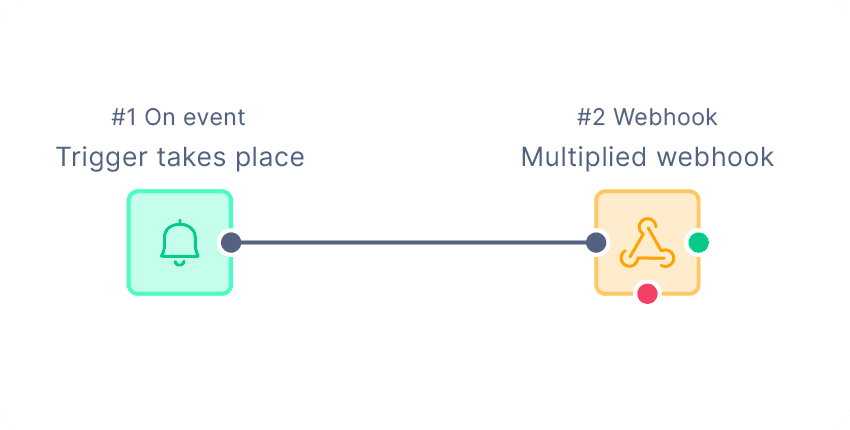
The basic setup involves a webhook to send our platform the relevant information and a second event that’s triggered once their GIF URL has been added as a custom attribute
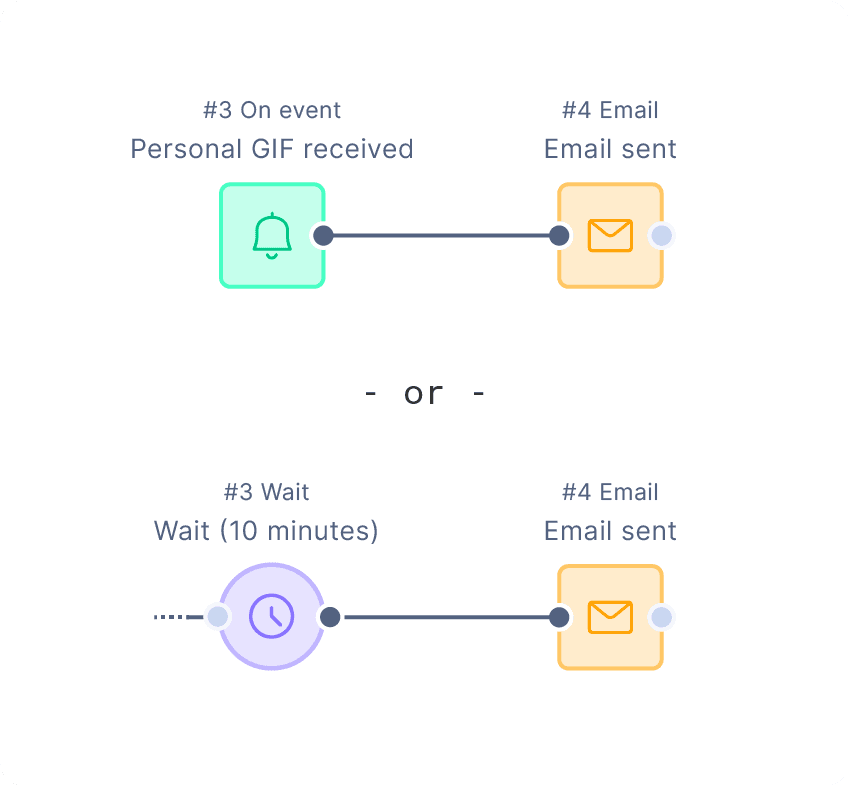
The email can then be sent with a second trigger (once the media is ready) or a delay (to give the media time to be created)
We’ll give you a custom webhook URL & authorization header to use here. The JSON body will depend on requirements but could look something like the below
{
 "registered": "{{ customer_ids.registered }}",
 "email" : "{{ customer.email }}",
 "first_name" : "{{ customer.first_name }}"
}
Last step is to add the dynamic image to your email template which we’ll do once your GIF is approved and ready to go. That simply involves adding a personalized tag into the image source, and styling as normal.
<img src="{{ customer.customer_multiplied_url }}" />